
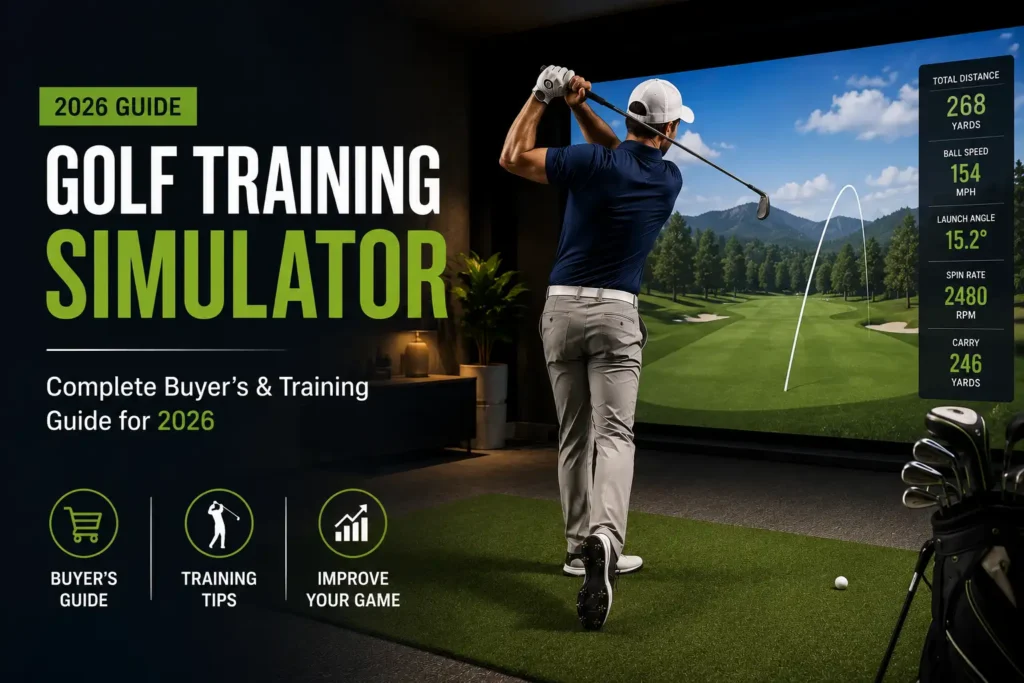
Golf training simulators have shifted from luxury curiosities to mainstream training tools. Whether you want to sharpen your wedge game during a February snowstorm or play Pebble Beach without leaving your basement, modern simulators make it possible-and more affordable than ever. This guide walks you through the technology, brands, room requirements, costs, and practice methods that will help you get real results from every indoor session.
Fast Answers: Is a Golf Training Simulator Worth It in 2026?
Yes, and it is no longer a close call. A home simulator can facilitate practice during winter or rainy conditions, turning dead months into productive training blocks. Year-round practice is possible with golf training simulators regardless of weather conditions, and the technology has matured enough that the data you see indoors closely mirrors what happens on a real golf course.
Entry-level simulators can start at under $1,000 for a basic launch monitor plus golf net setup, while premium rooms built around Foresight Sports GCQuad or a trackman simulator can exceed $40,000. The gap between those extremes is filled with capable mid-range systems that deliver accurate data on ball speed, spin rate, and launch angle-and integrate with simulator software like e6 connect for online league play and virtual courses featuring iconic courses like Pebble Beach, St Andrews, and Torrey Pines.
Even mid-tier camera based system units now provide reliable club speed, club path, and face angle metrics that were exclusive to tour vans just five years ago.
Who should buy a golf training simulator?
- Beginners seeking instant feedback on every swing
- Serious amateurs chasing single-digit handicaps
- Teaching pros and club fitters who need precise data session after session
- Indoor golf business owners looking for a proven revenue model
The rest of this article covers everything from sensor technology and room dimensions to structured practice routines so you can build the right simulator experience for your golf game.
How a Golf Training Simulator Actually Works
A golf simulator is really a combination of hardware and software working in tandem. The hardware captures what happens at impact; the software turns raw numbers into a 3D ball flight you can watch, analyze, and learn from.
Here is the typical shot flow: you swing, the golf ball strikes an impact screen or golf net, and the launch monitor measures club and ball data in milliseconds. The software then converts those measurements into a rendered trajectory and displays it on screen-often onto a projected image of a famous golf course hole. Simulators provide instant feedback on swing performance, so you see the result almost as fast as you would outdoors.
Core golf simulator components in plain language:
- Launch monitor. The data engine. Radar, camera, or hybrid sensors capture ball speed, launch angle, spin rate, and club metrics. Examples include SkyTrak+, Trackman iO, Full Swing KIT, and Foresight GCQuad. Golf simulators use launch monitors to capture impact data-this is the single most important piece of hardware.
- Display. Either an impact screen paired with a short-throw projector (immersive, theater-style) or a large TV behind a golf net (budget-friendly, less immersive).
- Simulator software. Platforms like e6 connect, FSX Play, Trackman Virtual Golf, and TGC 2019 provide virtual courses, practice ranges, skills challenges, and multiplayer modes.
- Hitting area. A hitting mat or turf platform where you stand and strike the ball, often with alignment aids and a stance extension.
In terms of game modes, most platforms offer both practice-range modes (unlimited balls, single club, data overlay) and full golf game modes including stroke play, scramble, closest-to-the-pin, long drive contests, and skills challenges.
Early 2000s simulators estimated much of the ball flight from very limited sensor input. Modern 2024–2026 models rely on dozens of directly measured data points and physics models validated by millions of real shots, closing the gap between indoor and outdoor results.
A quick note on latency: high-end systems deliver ball flight projection in under 0.3 seconds from impact, which feels natural. Delays of 0.5–1 second break immersion and can mislead your perception of shot shape. If realistic feel matters to you, latency should be on your checklist.

Key Ball and Club Data Points You Should Care About
Not every number on your screen matters equally. Chasing all data points at once leads to confusion, not lower scores. Here is what to focus on-and when.
Core Ball Data
- Ball speed. The strongest predictor of distance, especially with driver. Launch monitors measure ball speed, launch angle, and spin rate as their foundational outputs.
- Launch angle and launch direction. Launch angle determines trajectory height and carry. Launch direction (start line) tells you if the golf ball begins left or right of your target.
- Backspin and sidespin (spin axis). These control carry stability, curve, and how the ball reacts on landing. A high spin axis number usually signals a slice or hook.
- Carry distance vs total distance. Indoors, carry is king because roll models vary by software. Knowing true carry prevents club-selection errors on the golf course.
Core Club Data
- Club speed and smash factor. Smash factor equals ball speed divided by club speed-a measure of strike quality. Typical amateur driver smash factor sits around 1.40–1.45; tour-level players push 1.48–1.50.
- Club path, face angle, and face-to-path. These three numbers together explain your shot shape-draw, fade, slice, or hook.
- Angle of attack. Whether the club is ascending or descending at impact. Critical for optimizing driver launch and controlling iron trajectory.
- Dynamic loft and lie. Important for wedge precision and club fitting; camera-based system units excel here indoors.
Who Needs What
Beginners mainly need ball speed, launch angle, and start direction. Advanced players and coaches benefit from detailed club delivery metrics like face-to-path and angle of attack. Golf training simulators provide instant feedback through precise data tracking, but only the metrics you actually review between shots will improve your game.
Example readout from a 7-iron on a modern best golf simulator: 118 mph ball speed, 18° launch angle, 6,200 rpm spin rate, slight draw. “Good” numbers depend on your swing speed and loft, but consistency in launch angle, centered strike, and spin within range for that club are the hallmarks of solid iron play.
Types of Golf Simulators: From Simple Nets to Full Swing Studios
In 2026, golf simulator setups fall into three broad categories. Each serves a different budget, space, and experience level.
Launch Monitor + Golf Net
This is the most affordable entry point, often under $1,500. Pair a portable launch monitor like the Garmin Approach R50 (which features a 10-inch touchscreen for data display), FlightScope Mevo Gen2, or a budget radar unit with a golf net and a hitting mat. You get data-driven practice sessions and portability-take it to the backyard, the garage, or the range.
The trade-off: limited immersion. There is no projected course, no virtual golf experience. You are hitting into a net and reading numbers on a screen or tablet.
Enclosure + Impact Screen Packages
This is a true indoor golf experience. A framed enclosure, heavy-duty impact screen, short-throw projector, and high quality hitting mat create a theater-like bay. Typical all-in pricing ranges from roughly $4,000 to $15,000 depending on the launch monitor and screen size. Complete packages from brands like TruGolf, SkyTrak, and Carl’s Place bundle tested components for faster setup.
High-End Custom Studios
Built-in framing, finished walls and ceilings, integrated audio, ambient lighting, and climate control define these rooms. Common with Trackman, Full Swing, Foresight Sports, and aboutGOLF installations, costs start around $30,000 and can exceed $100,000 for commercial multi-bay centers.
The same launch monitor-say, a Full Swing KIT or GCQuad-can be used in either a simple net setup or a premium theater bay. What changes is the golf simulator space, enclosure quality, and audio-visual fidelity.
If budget is tight, start with a net and monitor. You can always upgrade to an enclosure and projector later without replacing your core hardware.
Launch Monitor Technologies: Radar vs Cameras vs Hybrids
The launch monitor is the most technically critical purchase. Understanding the sensor technology behind it helps you match features to your space and goals.
Radar-Based Systems
- Examples: Trackman 4, Trackman iO, FlightScope Mevo+, Full Swing KIT
- Radar tracks the golf ball in flight using doppler signals, usually needing more space behind and in front of the ball for accurate readings.
- TrackMan uses dual radar technology for precise ball tracking, and it remains the tour standard for outdoor and studio use.
- Radar technology excels at capturing full ball flight data outdoors and delivers extremely accurate club speed measurements.
- Indoor radar can struggle with spin measurements when flight is truncated by a nearby screen.
Camera-Based (Photometric) Systems
- Examples: Foresight Sports GC3 and GCQuad, Bushnell Launch Pro, SkyTrak and SkyTrak+
- High speed cameras take images near impact to calculate ball speed, launch angle, spin rate, and spin axis. Foresight Sports uses photometric technology for high-speed data capture, making it a favorite for indoor environments.
- Premium camera-based systems like Foresight GCQuad are highly accurate, especially for spin and wedge gapping work.
- These units need less room depth and are very strong indoors. Lighting conditions matter-stable, even lighting improves consistency.
Hybrid and Overhead Systems
- Examples: Trackman iO (radar + camera), Uneekor EYE XO2 (overhead camera), TruGolf APOGEE
- Hybrids blend radar and camera arrays to capture both club and ball data with reduced space needs.
- Overhead cameras eliminate foot-traffic interference and provide club metrics from above-useful in busy commercial bays.
Practical Implications
| Factor | Radar | Camera | Hybrid/Overhead |
|---|---|---|---|
| Room depth needed | 16–20 ft typical | 12–14 ft can work | Varies, often 14–16 ft |
| Spin accuracy indoors | Can be estimated | Directly measured | Measured (camera element) |
| Outdoor versatility | Excellent | Good, some limitations | Depends on model |
| Lighting sensitivity | Low | Moderate–High | Moderate |
Quick guide: Choose radar if you need multi-use outdoor and indoor capability or coach at a range. Choose a camera-based system if your golf simulator space is a tight basement or you prioritize spin and short-game accuracy. Hybrids offer the best of both worlds but at a higher price.

Best Golf Simulator Categories in 2026 (By Use Case)
There is no single best golf simulator. “Best” depends on your budget, available space, and what you want to accomplish. Here is how to narrow the field by scenario.
Best for Small Spaces
SkyTrak+ paired with an 8–9 ft wide enclosure works well in compact basements or spare bedrooms. Camera-based placement beside the ball keeps room depth manageable. Total indoor setup cost with enclosure, projector, and mat: roughly $5,000–$8,000.
Best for Tour-Level Accuracy and Coaching
A TrackMan 4 or TrackMan iO provides the same technology used in PGA Tour practice facilities. TrackMan is known for its unmatched accuracy and precision. The Foresight GCQuad is the other go-to for professional coaching and fitting. Expect $13,000–$25,000+ for hardware alone; add enclosure and A/V for a total closer to $30,000–$50,000. Top-tier simulators provide accurate data for club and ball metrics at this level-virtually identical to outdoor validation results.
Best Value Full Studio
Mid-price simulator packages built around SkyTrak ST MAX, Mevo Gen2, or Uneekor EYE MINI deliver strong accuracy at an affordable price. Serious home training setups with these units and a 10 × 15 ft impact screen often fall in the $8,000–$15,000 range, including enclosure, golf mats, and projector.
Best Portable Range and Net Solution
The Garmin Approach R50 and Full Swing KIT both work as portable launch monitor options for outdoor range sessions and quick indoor net hits. The Approach R50 features its 10-inch touchscreen and costs under $1,000, making it a strong entry point. Pair it with a basic golf net for a sub-$1,500 starter setup.
Best Commercial Multi-Sport Bay
Systems from Full Swing and Uneekor support golf simulation alongside soccer, baseball, hockey, and arcade-style games. These multi-sport bays boost revenue for indoor golf businesses by attracting non-golfers. A four-bay commercial build typically runs $120,000–$250,000 fully outfitted, but revenue potential is substantial.
Many brands-Foresight Sports, Full Swing, Trackman, Uneekor-are validated by touring pros, coaches, and televised events, signaling reliability whether you are building a home golf simulator or a commercial facility.
Choosing Simulator Software: Courses, Games, and Online Play
The launch monitor is the brain; the software package is the personality. It determines how fun, flexible, and future-proof your golf game feels indoors.
Major Platforms
- E6 CONNECT. Large course library, online events, and business tools. Used by TruGolf and compatible with most major launch monitors. SkyTrak+ provides access to 100,000 virtual golf courses through E6 CONNECT and other supported platforms, giving you a staggering selection.
- FSX 2020 / FSX Play (Foresight Sports). Deep ball data integration, realistic short game, and premium paid course packs. Good simulator software includes features like swing analysis and progress tracking, and FSX delivers on both.
- Trackman Virtual Golf. More than 500 courses with ultra-realistic graphics and tour-level data integration. Ideal for coaches who want the same technology their students see on television.
- Multi-sport and arcade add-ons. Platforms like MultiSport ARCADE turn a golf bay into a family entertainment hub-bowling, dodgeball, hockey, and more.
Key Decision Points
- Course library quality. Many simulators feature virtual replicas of famous courses-Pebble Beach, Torrey Pines, TPC Sawgrass, St Andrews. Many simulators offer access to thousands of virtual courses, but graphical fidelity varies. Look for 4K textures, dynamic lighting, and detailed green contours.
- Game modes. Stroke play, scramble, skills challenges, long drive contests, closest-to-the-pin, and putting practice. Variety keeps practice sessions engaging month after month.
- Online competition. E6 CONNECT global events and Trackman tournaments let you compete worldwide. League play support-handicapping, scoreboards, CRM tools-is essential for indoor golf businesses.
Pricing Considerations
Ongoing software subscriptions may be required for full simulator features. Some platforms offer a basic course library free, then charge for premium course packs or advanced analytics. Annual fees range from $100 to $500+ depending on the platform and license tier. Commercial licenses cost more than home licenses-sometimes significantly.
A complete golf simulator package typically includes multiple components, and the software ecosystem is a long-term commitment. Switching platforms later is possible but can mean repurchasing courses and reconfiguring hardware. Choose carefully.
Planning Your Space: Room Size, Layout, and Ceiling Height
Space planning is the most common mistake new buyers make. Measure twice, purchase once.
Space requirements should be considered before you even browse launch monitors. Here are concrete baselines for a comfortable home golf simulator:
- Minimum: about 10 ft wide × 12 ft deep × 8.5-9 ft high. This may limit a full-swing driver for taller players. A minimum room size of 10 ft high, 12 ft wide, and 16–18 ft deep is recommended for most golfers.
- Ideal: 15 ft wide × 18-20 ft deep × 9-10 ft high for full swing freedom and safer margins. For optimal performance, aim for 10 ft high, 15 ft wide, and 20 ft deep.
- Radar units: allow 6-8 ft behind the ball and 8-10 ft from the ball to the screen where possible.
- Simulator shed: a golf simulator shed should be at least 10 ft wide and 15 ft deep if you are building a standalone structure.
Ceiling Considerations
A ceiling height of 9 to 10 feet is recommended for comfortable swinging. A 6’3″ golfer with a steep driver plane typically needs at least 10 ft. Shorter golfers may require less ceiling height than 9 feet, but measure with your longest golf club in hand before committing.
Garages and basements are popular conversion spaces because they often have 9-10 ft ceilings and lower renovation costs.
Hitting Position and Wall Protection
- Center the hitting position for natural left/right shot representation on screen. Offset only if structural beams or narrow rooms demand it.
- Use side netting, padded panels, and curtains to manage ricochets. Keep a minimum of 18 inches between the swing arc and any wall.
Before buying anything, lay out your room with tape on the floor and do slow-motion swings with your longest club to confirm clearances. This five-minute check can save thousands in damage or returns.

Core Components of a Golf Training Simulator Setup
Every simulator, from a $1,000 net bay to a $50,000 custom room, shares the same essential building blocks. Here is what each piece does and why it matters.
Launch Monitor
The data engine. It captures ball speed, club speed, spin rate, launch angle, and (on higher-end units) face angle and club path. Placement varies: beside the ball (SkyTrak+, GC3), behind the player (radar units), or overhead (Uneekor, TruGolf APOGEE). A professional-grade launch monitor delivers the most club data and ball data, but even budget units provide enough feedback for meaningful practice.
Impact Screen or Golf Net
Basic golf nets are cheaper and portable but less immersive. High-end impact screens use tight-weave materials that reduce bounce-back and provide a smooth projection surface. Common sizes: 8 × 10, 9 × 12, and 10 × 14 ft. Display quality affects the immersive experience in a golf simulator-a crisp projected image on a quality screen makes virtual golf feel closer to real golf.
Hitting Mat and Platform
A high-quality hitting mat matters more than most buyers realize. Thin, hard mats cause joint strain and mask fat or thin strikes. Look for multi-layer turf with realistic give. Integrated stance mats and putting surfaces with multiple cup locations add versatility. Golf mats in the $400–$1,200 range generally offer the durability and feel you need.
Projector and Display
Short-throw projectors suit tight rooms. Standard throws need more distance but often deliver brighter images. Look for 3,000+ lumens if your room has ambient light. Alternatively, a large TV behind a golf net works for budget setups but sacrifices screen size and immersion.
Computer or Console
Modern simulator software demands a capable PC-a dedicated GPU, at least 16 GB RAM, and a fast SSD. Cable management matters: plan HDMI runs, consider wireless HDMI options, and ceiling-mount the projector to keep the bay clean.
Accessories
Alignment sticks, side barriers, ball trays, club racks, ambient lighting, and a basic sound system round out the space. Sound systems also help mask impact noise in shared living spaces-a practical concern for any home golf simulator owner.
Golf Training Simulators for Home vs Commercial Use
The same technology underpins both home and commercial simulators, but priorities diverge sharply.
Home Use
- Families often prioritize fun games, multi-sport options, and kids’ modes alongside serious practice.
- Noise management matters in shared spaces. Impact noise from a driver can carry through walls-acoustic panels and thick screens help.
- A finished simulator room can add resale value to a home, especially as indoor golf continues to grow in popularity.
- Simulators provide a controlled environment for focused practice without distractions-no weather, no slow groups, no range-ball inconsistency.
Commercial Use
- Bays may run 8–16 hours per day, seven days a week. Durability of screens, golf mats, and enclosures is critical.
- Booking, payment, membership, and CRM systems are essential. Platforms like E6 CONNECT offer business tools purpose-built for indoor golf facilities.
- Commercial vs home software licenses carry different pricing-expect per-bay subscription costs and multi-bay discount structures.
Revenue Models for Indoor Golf Businesses
- Hourly simulator rentals (typically $30–$75/hour per bay)
- Leagues and tournaments with entry fees
- Coaching and club fitting using high-data golf launch monitors
- Food and beverage integration for sports bar concepts
Realistic Commercial Example
A typical four-bay commercial indoor golf center launched in 2025–2026 might invest $150,000–$250,000 for equipment, build-out, and initial software licenses. With strong utilization (40+ booked hours per bay per week) and F&B revenue, many operators target a two- to three-year payback. The golf industry has seen consistent growth in this segment, and operator surveys confirm demand remains strong.
Training with a Golf Simulator: Proven Practice Routines
Owning even the best golf simulator does not guarantee improvement. Structured practice does. Here are three concrete routines you can copy and adapt.
Routine 1: 30-Minute Wedge Distance Control
Focus on carry distance and dispersion with your scoring wedges.
- Hit 10 shots each with your 60°, 56°, and PW at full swing, three-quarter swing, and half swing.
- Record average carry distance for each combination-this builds your personal distance matrix.
- Targeted practice modes allow isolation of specific yardages for precision training. Use the simulator range to aim at 50, 75, 100, and 125-yard targets.
- Goal: reduce standard deviation of carry distance with each wedge by 3–5 yards over four weeks.
Routine 2: 45-Minute Driver and 6-Iron Combine
Track ball speed, fairway hit percentage, and proximity to target.
- Hit 20 drivers. Record average ball speed, carry distance, and offline distance (left/right miss).
- Hit 20 6-irons to a 175-yard target. Record carry dispersion and spin rate consistency.
- Goal: improve driver smash factor from 1.42 to 1.46 over several weeks. Narrow 6-iron left/right dispersion by 10%.
Routine 3: 20-Minute Short Game and Putting
- Chip and pitch from 30, 50, and 70 yards (where software supports it), tracking trajectory and spin.
- Putt 20 straight 8-footers, monitoring start line accuracy.
- Lag putt to 30-foot and 50-foot targets, measuring leave distance.
Using Data to Identify Faults
- Excessive sidespin (high spin axis) usually indicates an open or closed face-to-path relationship-a slicer’s signature or a hook pattern.
- Low ball speed relative to club speed points to off-center contact. Check your smash factor.
- Negative angle of attack with driver causes ballooning shots and lost carry.
Simulators enhance course management skills through virtual play, and golf training simulators offer a data-driven way to improve swing mechanics. Track your progress over time using built-in software stats, exported session reports, or a simple spreadsheet. The golfers who improve fastest are the ones who review their numbers between sessions-not just during them.
Experts recommend focusing on two or three metrics per session rather than trying to chase every number simultaneously.
Improving Driver Distance and Accuracy with Ball Speed & Club Speed
Ball speed and club speed are the two most important metrics for maximizing distance while keeping the ball in play. Golf simulators can improve your game with data-driven insights, and nowhere is that clearer than with the driver.
Benchmark Your Current Performance
Hit at least 20 drivers on a simulator and record your average club speed, ball speed, carry distance, and fairway hit percentage. Compare to these approximate ranges:
| Metric | Amateur Average | PGA Tour Average |
|---|---|---|
| Club speed | 90–100 mph | 115–120 mph |
| Ball speed | 130–145 mph | 170–180 mph |
| Smash factor | 1.40–1.45 | 1.48–1.50 |
| Carry distance | 200–230 yards | 280–300 yards |
Set realistic expectations. You are not chasing tour numbers-you are chasing your own optimal performance.
Smash Factor and Efficiency
Smash factor tells you how efficiently you transfer energy from club to ball. A move from 1.42 to 1.47 can add 10–20 yards of carry without swinging harder. The path to a higher smash factor is centered contact, and simulators help you see that in real time.
Drills for Distance
- Tee height experiments. Vary tee height by half-inch increments while watching ball speed and launch angle. Find the height that maximizes carry for your swing.
- Impact location. Use impact tape or foot spray on the face, then correlate strike location with ball speed on the simulator. Toe and heel hits cost 5–15 yards.
- Tempo drills. Swing at 80% effort with a focus on smooth tempo (roughly 3:1 backswing-to-downswing ratio) and monitor ball speed consistency. Consistency matters more than peak speed.
Drills for Accuracy
- Use dispersion circles on the simulator driving range to measure left/right misses.
- Adjust aim, grip, and clubface control while tracking spin axis and start-direction data points.
- A narrowing dispersion pattern over weeks indicates genuine improvement-not just one lucky bomb.
Dialing in Irons and Wedges: Distance, Gapping, and Spin Control
One of the biggest advantages of indoor golf is building a precise yardage chart for every iron and wedge in your bag. Simulators help in better understanding of ball flight patterns and discrepancies-and that understanding starts with gapping.
Running a Gapping Session
- Hit 10–15 shots per club from pitching wedge through 4- or 5-iron.
- Discard obvious mishits and calculate average carry distance for each club.
- Note ball speed, launch angle, and spin rate patterns.
Creating a Personal Distance Matrix
Record carry distances at full swing, three-quarter swing, and half swing for your scoring wedges. This matrix is your most valuable on-course tool. Use simulator data to identify and fix large yardage gaps-if there is a 20-yard jump between your 8-iron and 7-iron, you have a problem to solve through loft adjustments or adding a club.
Spin and Trajectory Control
Use wedges on the virtual range to experiment with ball position and shaft lean while watching spin rates and peak height. Too little spin-say, under 5,000 rpm with a 9-iron-may cause shots to release too much on real greens, turning what should be a stop-and-hold approach into a runaway miss.
Concrete Example
A mid-handicapper uses their simulator to discover that their real 7-iron carry is 150 yards, not the assumed 165. That 15-yard recalibration means they stop leaving approach shots short-sided and start hitting more greens. This is the kind of recalibration that shaves three to five strokes without changing your swing.
The best practice sessions happen when you resist the urge to hit driver on repeat and instead spend 70% of your time on irons and wedges-the clubs that actually determine your score.

Short Game and Putting on Golf Simulators
Putting and short game are historically the hardest aspects of golf simulation to replicate perfectly. No impact screen and projector combination can fully recreate the feel of a real green. But modern systems have improved significantly, and the practice transfer is real.
How Platforms Handle Putting
Some simulators require a minimum ball speed or offer “gimme” ranges for short putts. Others-like Trackman, Foresight, and certain Full Swing setups-support detailed putting data through high-speed cameras that read launch, skid, and roll. The accuracy varies, but start-line data and face control feedback are consistently useful.
Dedicated Putting Simulators
Contour-changing putting greens with motorized actuators can simulate real slopes and breaks. These specialized platforms work alongside a main full swing bay to give you a complete short-game station. They are expensive ($5,000–$20,000+), but for serious players and commercial venues, the investment fills a training gap.
Practical Drills
- Straight 6–10 ft putts. Repeat 20 putts while monitoring start-line accuracy. Even if roll physics are not perfect, training your face to aim precisely transfers directly to real greens.
- Lag putting. Hit to virtual 30- and 50-foot targets and track leave distance. Lag control is more about speed than break, so simulator practice is surprisingly effective here.
- Chipping and pitching. From varying distances (where software supports it), work on trajectory selection and spin control.
Realism vs Practice Transfer
Regularly test simulator putting gains on a real practice green to calibrate feel. Even if putting physics indoors are not identical to a real golf course, working on start line, face control, and pre-putt routine still delivers measurable on-course improvement.
Multi-Sport and Family Fun: Beyond Golf Games
Many modern golf simulator bays double as all-around entertainment systems, which can justify the investment for households and businesses alike. Golf simulators enhance entertainment for family and friends-not just the golfer in the house.
Multi-Sport Add-Ons
Systems from Full Swing, Uneekor, and others offer soccer, hockey, baseball, dodgeball, and arcade-style titles. An interactive camera or software add-on can convert an existing golf bay to multi-sport with minimal hardware changes.
Non-Golf Game Types
- Party-friendly arcade modes: bowling, carnival games, zombie dodgeball
- Kids’ and beginner-friendly target games that make learning golf easier
- Fitness and reaction drills using impact screens
Home-Theater Crossovers
Use the impact screen and projector for movies, sports streaming, and gaming consoles. Consider blackout curtains, seating, and sound when designing a multi-use room. A well-planned space serves as both a dream setup for golf and a family entertainment center.
Commercial Advantages
Multi-sport capability increases revenue by appealing to non-golfers-families, birthday parties, corporate events. Off-peak tee times can be filled with alternative events like indoor soccer leagues. For indoor golf businesses, this flexibility translates directly to higher bay utilization and revenue per square foot.
Budgeting & Total Cost of Ownership (TCO)
Headline hardware prices are only part of the picture. Smart buyers plan for software, installation, and ongoing maintenance.
Golf simulator costs range from a few hundred dollars to over $20,000, and total cost of ownership can run 15–25% higher than hardware sticker prices when you factor in everything.
Cost Categories
| Category | Budget Range |
|---|---|
| Launch monitor | $400–$1,000 (entry), $1,500–$5,000 (mid), $8,000+ (high-end) |
| Enclosure + impact screen | $500–$3,000 |
| Golf net (standalone) | $100–$500 |
| Hitting mat | $300–$1,500 |
| Projector | $500–$2,500 |
| PC or device | $700–$3,000+ |
| Software subscriptions | $100–$500/year |
Basic golf simulator setups can start under $1,000 with a budget launch monitor and a net. Premium golf simulators can exceed $20,000 for high-end setups that include a professional grade launch monitor, custom enclosure, and 4K projection.
Software and Subscriptions
Ongoing software subscriptions may be required for full simulator features-premium course libraries, advanced analytics, and multi-sport modes often carry annual fees. Commercial licensing premiums add another layer of cost for indoor golf businesses.
Installation and Renovation
DIY installation can save $500–$2,000 but requires time and handy skills. Professional installation is common for custom rooms and commercial bays. Budget for potential electrical work, improved lighting, and HVAC in garages or basements.
Three Example Budgets
Sub-$2,500 Starter Net Bay
- Garmin Approach R50: ~$600
- Golf net and frame: ~$300
- Hitting mat: ~$400
- Tablet or existing device: $0–$500
- Software (basic/free tier): $0–$100
$8,000–$12,000 Mid-Tier Studio
- SkyTrak+ or Bushnell Launch Pro: ~$2,500–$3,000
- Enclosure + impact screen (10 × 12 ft): ~$1,500–$2,500
- Projector (short-throw, 3,000 lumens): ~$1,000–$1,500
- High-quality hitting mat: ~$600–$1,000
- PC: ~$1,200–$2,000
- Software subscription: ~$200–$400/year
$30,000+ Premium Room
- Foresight GCQuad or Trackman iO: ~$13,000–$20,000
- Custom enclosure and build-out: ~$5,000–$10,000
- Premium projector and audio: ~$3,000–$5,000
- Golf mats, accessories, lighting: ~$2,000–$3,000
- Professional installation: ~$2,000–$5,000
These are realistic 2025–2026 ranges. Plan for multi-year costs, not just the launch monitor sticker price.
DIY vs Turnkey Packages vs Custom Design
There are three main paths to building a golf simulator setup: complete DIY, turnkey simulator package, or custom design and installation.
DIY Approach
Source your launch monitor, golf net or screen, projector, and PC separately. Advantages include lower total golf simulator cost, full control over each component, and easier individual upgrades. The challenge: compatibility research, trial-and-error setup, and time investment. Expect to spend a full weekend on assembly and calibration.
Turnkey Packages
Complete packages bundle enclosure, impact screen, projector, hitting mat, and a chosen launch monitor into tested, compatible kits. Pros: faster setup (often 2–5 hours), vendor support, and known performance. Golf simulator packages from companies like Carl’s Place, TruGolf, and SkyTrak bundles eliminate guesswork.
Custom Design and Build
For irregular spaces, luxury homes, or commercial centers, custom design involves 3D room planning, custom enclosures, built-in A/V, and professional installation crews. Higher upfront cost, but polished, integrated results that maximize every inch of your golf simulator space.
Which Path Is Right for You?
- A handy homeowner with a free weekend and a $5,000 budget: semi-DIY with a pre-built enclosure kit.
- A busy professional building a dream setup in a new home: custom design for seamless integration.
- An indoor golf entrepreneur opening a multi-bay facility: custom commercial build with professional installation and vendor support contracts.
Accuracy, Lag, and Realism: What Really Matters
Marketing claims about the “most accurate” or “zero lag” golf simulator are everywhere. Here is what actually matters in practice.
Aspects of Realism
- Data accuracy. Are the numbers close to real ball flight? Top-tier systems from TrackMan and Foresight base their models on billions of measured flights. For most amateurs, small differences of a few yards in carry are less critical than consistency and repeatability. Launch monitor accuracy matters, but so does proper calibration and setup.
- Visual realism. Graphics quality, frame rate, and texture detail all contribute. Ultra-realistic graphics at 4K resolution with dynamic lighting make virtual golf feel closer to standing on an actual round at a famous golf course. Display quality affects the immersive experience in a golf simulator.
- Temporal realism (latency). For immersive play, aim for a sub-0.3-second delay from impact to screen flight. Full Swing and other high-end systems are marketed on “real ball flight with no delay.” Delays beyond 0.5–1 second break immersion and mislead perception.
- Course realism. Faithful recreations of famous layouts and real-world green speeds make virtual courses feel authentic. The best platforms deliver virtually identical representations of iconic courses.
Signs Your Simulator Is Reflecting Reality
- Distances closely match on-course yardages after initial calibration
- Shot shapes (draw, fade, slice) appear and behave as expected
- Spin and launch numbers fall within normal ranges for your golf club and golf ball type
A simulator delivers instant and precise data, but only if it is set up correctly. Encourage yourself to test demo units at local showrooms or indoor golf centers before buying-ideally with your own marked clubs and balls.
Integrating Golf Fitness and Swing Mechanics with Simulator Use
Simulators are most powerful when combined with basic golf fitness and swing mechanics work. Treating your simulator as one piece of a larger training system accelerates improvement far beyond hitting balls alone.
How Launch Data Reveals Physical Limitations
- Consistently low club speed and ball speed may point to mobility or strength deficits, not just technique problems.
- Inability to change angle of attack or dynamic loft despite trying different setups suggests swing pattern constraints that physical conditioning can address.
Integrating Fitness
- Add 10–15 minutes of mobility or strength exercises before or after practice sessions. Hip rotation, thoracic spine mobility, and grip strength all translate directly to club speed.
- Use off-days for speed training protocols (overspeed sticks, weighted clubs), measuring progress via club speed readouts over weeks.
Mechanics and Coaching
- High-end systems can sync swings with high-speed video replay for analysis, combining visual feedback with ball and club data for a complete picture.
- Share session data with a remote coach or instructor. Many modern platforms allow exporting reports, making remote coaching efficient and affordable.
Simple Example Program
- Day 1: Simulator practice (wedges and irons), focus on carry distance and spin rate
- Day 2: Strength and mobility work (no simulator)
- Day 3: Simulator practice (driver and long irons), focus on ball speed and dispersion
- Day 4: Combined session-drills, video review, and data analysis
This approach frames the golf simulator as a feedback loop within a broader system for improving golf skills, not a standalone toy.
Common Mistakes When Buying or Using a Golf Simulator
Avoiding a few common pitfalls saves thousands of dollars and months of frustration.
Purchasing Mistakes
- Underestimating room size, especially ceiling height. A ceiling that is too low forces swing changes or damages clubs. Measure with your longest golf club before you buy.
- Overspending on graphics while neglecting the hitting mat. A flashy projector paired with a cheap, hard mat leads to joint pain and unreliable club data.
- Ignoring software subscription costs and the difference between commercial and home license terms. That “$3,000 simulator” may require $400/year in software fees.
Usage and Training Mistakes
- Always hitting driver and neglecting wedges and putting. The biggest scoring gains come from distance control, not raw distance.
- Chasing max ball speed at the expense of centered contact and shot shape consistency.
- Failing to calibrate simulator distances with on-course rounds, leading to incorrect club selection during an actual round.
Technical Oversights
- Poor lighting that interferes with camera-based units, causing inconsistent readings.
- Incorrect launch monitor placement-too close, too far, or at the wrong tilt angle.
- Skipping periodic firmware and software updates, which can affect accuracy and add features.
Quick audit: measure your room, swing your longest club slowly, check your lighting, and read your launch monitor’s placement guide before your first session. Five minutes of setup prevents weeks of bad data.
Future Trends in Golf Training Simulators (2026 and Beyond)
Golf simulators have evolved rapidly since 2020, and the pace shows no sign of slowing. Here is what to watch through 2030.
Technology Trends
- AI-driven swing analysis layered on top of ball and club data, potentially using overhead or phone cameras for posture and motion capture without expensive dedicated hardware.
- Improved putting physics. More accurate green-surface models, improved skid-to-roll transitions, and possibly motorized putting surfaces that adapt to each hole’s contours.
- Lower latency, sharper graphics. 4K is becoming standard; 8K and higher frame rates are on the horizon. VR/AR integrations may offer alternative immersion modes.
Business and Usage Trends
- Growth of cloud-based leagues connecting home golf simulator owners worldwide.
- Expansion of compact “micro bays” for apartments-overhead and ceiling-mount units that require less depth.
- Bundled multi-sport and wellness features turning simulator rooms into broader sports hubs.
Price and Accessibility
- Entry-level golf launch monitors continue becoming more accurate under $1,000, putting previously premium-only accuracy within reach.
- Financing and subscription models reduce upfront barriers. “Pay-as-you-grow” approaches let buyers start small and upgrade.
- Accuracy that cost $20,000+ in 2020 is now accessible in sub-$5,000 units-a trend that will continue.
Buy for your needs today, but choose systems and brands that offer strong software update paths and hardware compatibility for future upgrades. The golf industry rewards forward-thinking buyers.
Frequently Asked Questions About Golf Training Simulators
This FAQ consolidates quick answers to the most common questions buyers ask in 2025–2026.
What is the minimum room size I need for a golf simulator? A minimum room size of 10 ft high, 12 ft wide, and 16 ft deep is recommended. For comfortable full swing play, aim for 15 ft wide and 18–20 ft deep. How much space you need depends partly on whether you use a radar or camera system.
Can I use real golf balls and tees, or do I need special equipment? Most simulators work with standard golf balls and regular tees. Some budget units track foam or limited-flight balls, but the best results come from using the same technology and equipment you play with outdoors-real balls, real tees, real clubs.
How much does a “good” simulator really cost, all in? Golf simulator costs range from a few hundred to over $20,000. A capable, immersive home setup with a mid-tier launch monitor, enclosure, projector, and mat typically lands between $5,000 and $12,000 all in.
Do I need a gaming PC, or will a basic laptop work? Most simulator software requires a dedicated PC with a capable GPU for smooth 1080p or 4K visuals. Budget around $1,000–$2,000 for a suitable machine. A basic laptop will struggle with modern golf simulation graphics.
Can a simulator help beginners, or is it only for low-handicappers? Beginners benefit enormously. Instant feedback on ball speed, launch angle, and start direction builds awareness faster than hitting balls into a field. Golf skills develop more quickly when every swing produces measurable data.
Are golf nets enough, or do I really need an impact screen and projector? A golf net with a portable launch monitor is a legitimate practice tool-you get all the data, just not the visual course experience. Add an impact screen and projector when budget allows for a full simulator experience.
How loud are simulators-will they bother neighbors or other rooms? Driver impacts can be loud. Thick impact screens, acoustic panels, and closing the room off help. Expect roughly the volume of a loud hand clap with each full swing hit.
How long does installation usually take for DIY vs professional? DIY enclosure kits typically take 3–6 hours with two people. Professional custom installations can take one to three days depending on complexity.
Approaching Your Purchase
Measure your space, set a firm budget (including software and accessories), list your must-have data points, and then shortlist systems that fit. Visit a local indoor golf center to test units with your own clubs before committing.

Conclusion: Building the Right Golf Training Simulator for Your Game
Modern golf simulators combine precise ball data, realistic virtual golf courses, and year-round practice capability to accelerate improvement in ways that were unthinkable a decade ago. Whether you are using a simulator to break 90 for the first time or to tune your wedge gapping like Tiger Woods fine-tuned his short game, the data is there-waiting for you to use it.
The best golf simulator is the one that fits your space, budget, and goals. That might be a simple golf net with a portable launch monitor for $1,500, or it might be a full custom studio with multi-sport functionality and a professional-grade launch monitor at $40,000. Neither choice is wrong if it matches your reality.
The key steps: plan your space carefully, decide on technology (radar vs camera), choose your software ecosystem, and commit to structured practice routines using ball speed, club speed, and dispersion data. Improving golf skills is not about owning the fanciest equipment-it is about using whatever equipment you have with intention and consistency.
A thoughtfully chosen golf training simulator effectively brings the golf course home, making each practice session more measurable, more fun, and more productive than the last. Measure your room this weekend. Your game will thank you.
